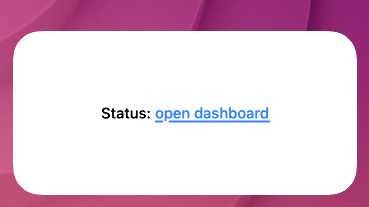
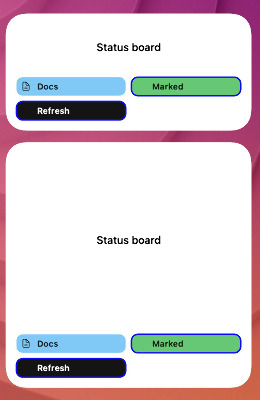
Widgets that just sit there and look pretty are fine. Widgets you can tap into are better. TerminalWidget now leans into that with markdown links in body text and table cells, plus a proper launcher button footer.
Credit where it’s due: this feature was inspired by scripting legend Rob Trew. I initially thought it wasn’t possible, but a little prod from them got things rolling.
By the way, TerminalWidget has spent a week in the #1 slot in Developer Tools on Mac and iOS!
Markdown links in text
Pass Markdown-style links in --text (or JSON text) and they render as tappable labels on macOS and iOS:
URLs need a scheme (https://, mailto:, and custom handlers). Broken or schemeless markup stays literal, so you are not stuck with half-parsed junk. Tap the link to open it; tap elsewhere and the usual whole-widget --action-kind still fires.
One small gotcha: --fit-text backs off when links are present so hit targets stay usable.
Links in table cells too
Tables get the same treatment. CSV, TSV, and JSON cells — headers included — parse [label](url) the same way --text does:
Column width measures the visible label text, not the raw markdown, so layout does not blow up around long URLs. Quote CSV cells when a URL contains commas, same as any other CSV gotcha.
Launcher buttons
Want a grid of actions under the content? Ship a buttons array in JSON (up to 12). Each button gets a label, color, action type, and action value — open a URL, run a Shortcut, refresh, and on Mac also open apps or run commands:
Buttons sit in a footer under text, charts, progress, images, or tables — or alone as a buttons-only widget. Optional icons, borders, and button-columns (smart / 1 / 2 / 3) let you tune the layout without fighting the content above.
They stick around (until you clear them)
Buttons are part of the target payload. Append chart points, swap the text, refresh an image — if you do not send a new buttons array, the footer stays put. Same idea as other persisted fields: omit to keep, send to replace.
When you are done with them (or want a clean slate for that target), wipe with --clear:
terminal-widget --target widget1 --clear
That resets the target. If you only want the footer gone and everything else kept, "buttons": [] or --clear-buttons will do the lighter trim.
Linked text for inline hops, table cells that open docs or tickets, and a button bar that survives your update loop — small pieces, but they make a widget feel like a control surface instead of a screenshot.
If you haven’t checked out TerminalWidget yet, I think you’ll dig it.