I’m in the middle of an end-of-year app roundup, and it is already past 7,000 words. A post that long, with this many moving parts, is a pain to manage as one Markdown file.
Headlines are not the problem
MultiMarkdown Composer’s table of contents is great when the structure is headlines. This list is not headlines. Every app is a term and one or more definitions. That is how I want it to read on the blog, and it is a bad way to reorder apps or jump to the one I am editing.
One app, in Markdown
A single entry looks like this:
[Hookmark](https://hookproductivity.com/) {% topapp 8 %} [Hookmark on Setapp](https://setapp.sjv.io/X4eM4o){:.setapplink}
: Once you get into the groove with it, Hookmark speeds up any project by keeping all of your related files at your fingertips, easy to jump between and reference. [...]
: Available on Setapp, or $29.99 regular, $69.99 pro.
That is one app. Multiply it by a few dozen and the file turns into a wall.
Enter Traverse
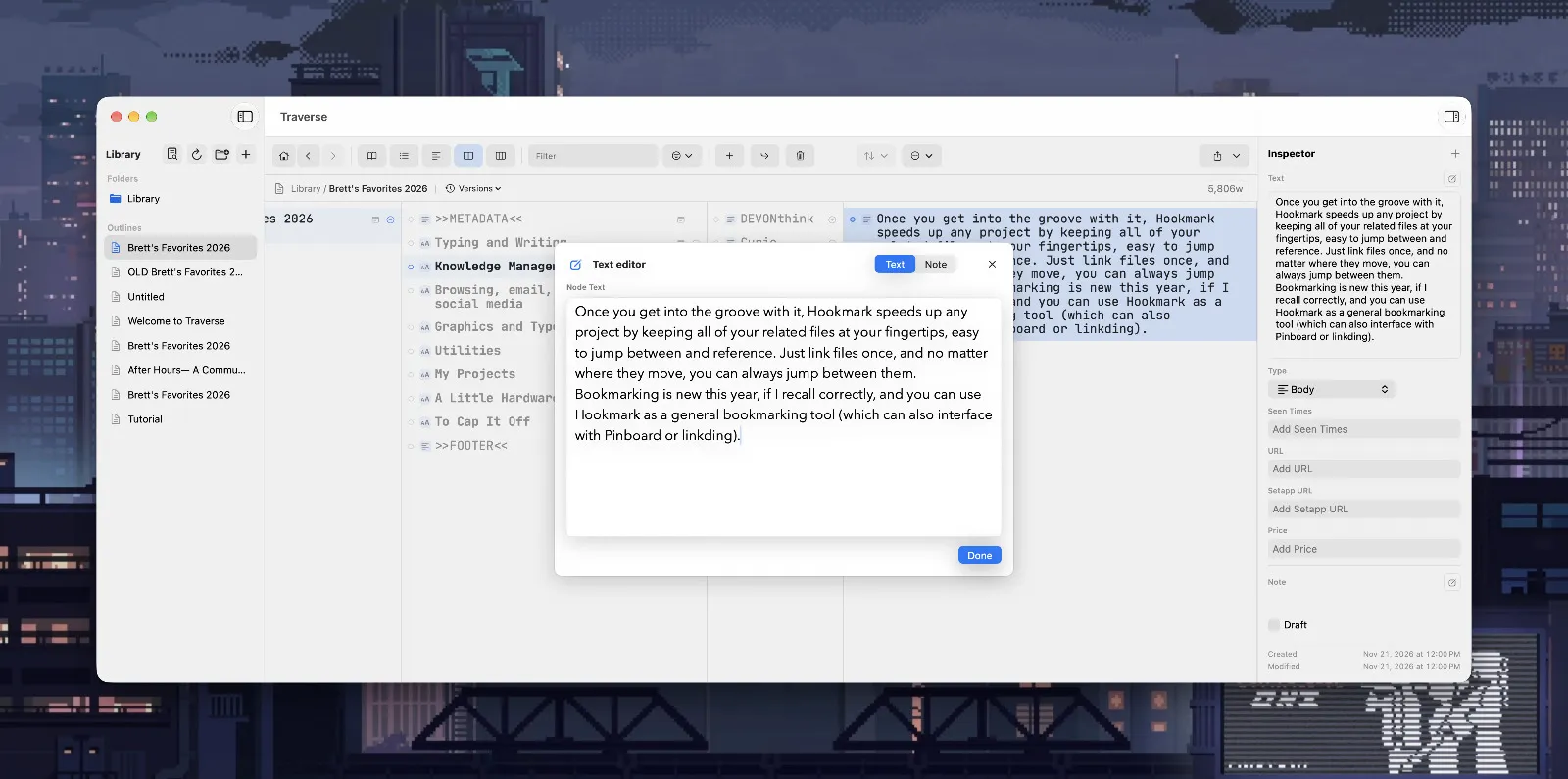
Traverse is a new outliner. I have been working with the developer, Stuart Marshall, to make it fit the way I write in Marked. It already has built-in Marked support, including Streaming Preview. I needed a little extra customization to get to my preferred format.
Traverse stores the outline as plain OPML, and every node can carry custom metadata. I used that for the URL, the price, a ribbon for how many years an app has made the list, the Setapp link and badge, and anything else that did not belong in the paragraph. Then I could look at the whole roundup as a horizontal outline, which is how my brain likes to work.
Paragraphs are Body nodes, not a notes field stuffed under the title. Stuart built an nvALT-like editor into the text and notes editors, so writing Markdown in there is actually pleasant. There is also a popout window when I want a larger font and a little more room.
The review in Traverse
From the outline to the post
I wrote review-traverse to read that OPML, metadata included, and turn it into the Markdown I publish. Liquid tags, Kramdown attribute lists, the whole mess. As a side note, I learned a cool trick for writing a .sh script that runs as Ruby, which you can see in the script.
A second script in the same repo, review-ribbons, turns a tag like {% topapp 1 %} into the ribbon graphic.
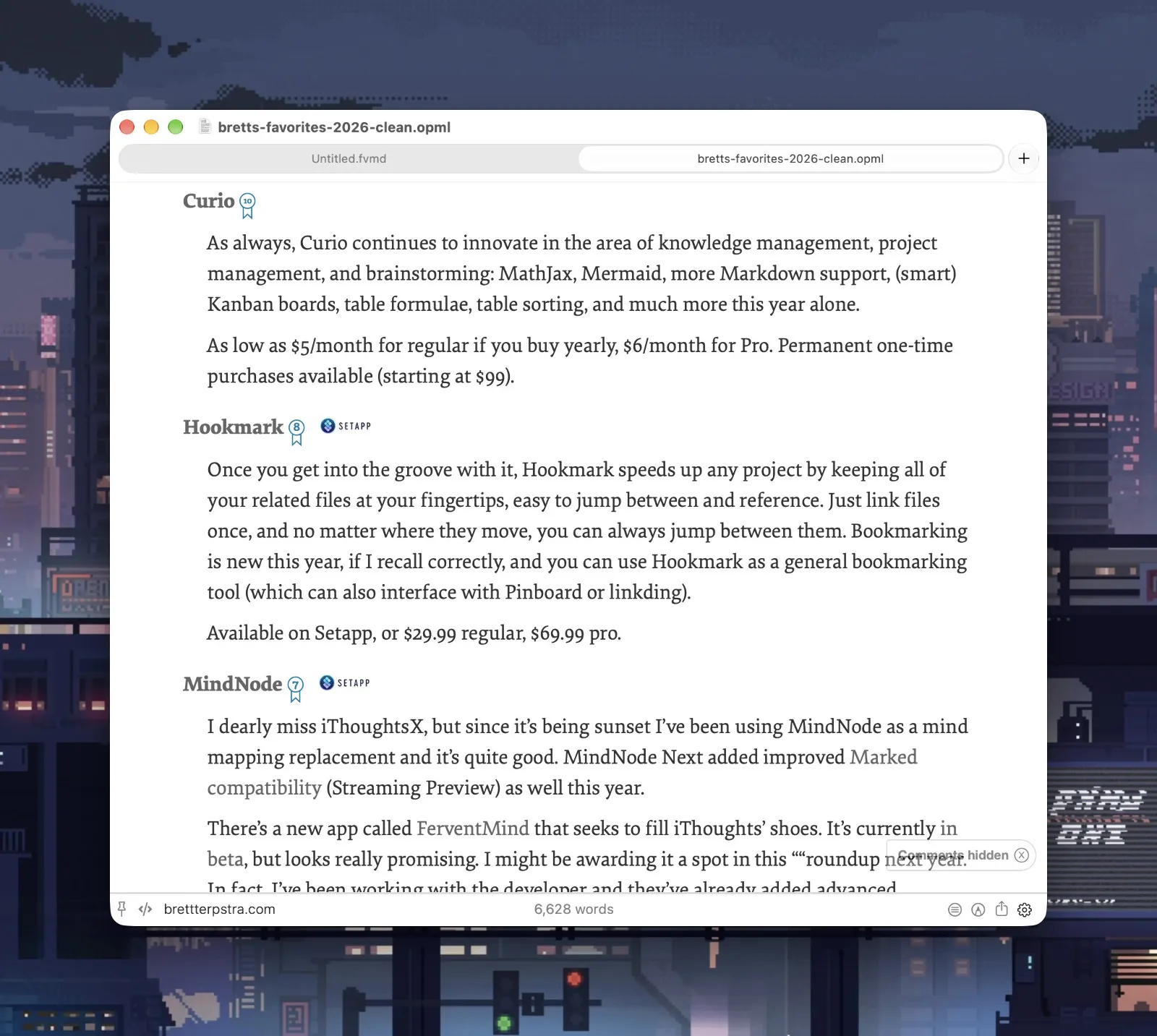
The review in Marked
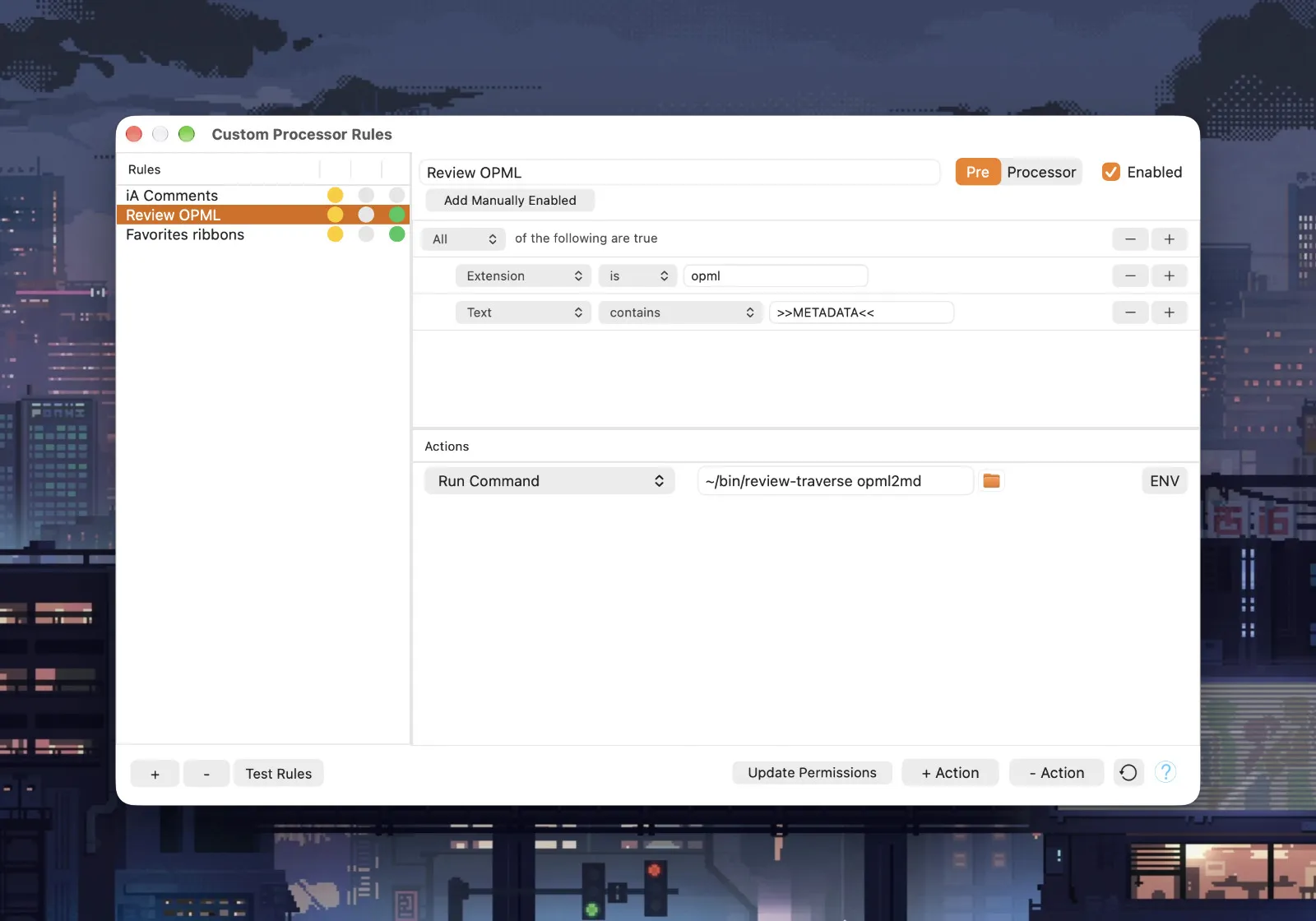
I run both as Marked Custom Rules actions, so the preview matches the blog. Marked’s Style Stealer got me a copy of my blog’s CSS, and a little Custom CSS in the Style Generator handles the Setapp badges. I open the OPML in Traverse and in Marked at the same time. The preview stays live, and scroll-to-edit jumps to whatever I am changing.
Marked Custom Rules
Publishing, and going back
When it is time to publish, I run review-traverse opml2md without review-ribbons. That writes the Markdown into my drafts folder with the original Liquid tags still in place. Jekyll plugins handle the final display.
If I tweak the Markdown instead, review-traverse md2opml merges those edits back into the OPML.
Side note, with all of these apps in structured data, I can also easily output a table, e.g. with linked app names and prices, if I want to summarize my work.
A template, not a recipe
Nobody else is going to want this exact setup. I am offering it as a template. The useful part is the combination: Traverse for the structure, Marked for the live view, and a small script between the outline and the post.
If you want to test it out though, grab the trials of Traverse and Marked (if you don’t already have them). I can highly recommend this writing setup, even if you don’t go the extra mile with the scripting.