I’m sure some mailing list services handle Markdown to HTML conversion, but I use Sendy, and it doesn’t. It doesn’t really even have a decent WYSIWYG editor. I wanted to create good-looking emails while just writing in Markdown, like I do everywhere else.
Email design is a special kind of hell. While the rest of the web has moved on to modern CSS, flexbox, and grid layouts, email clients are still stuck in the dark ages. You’re forced to use table-based layouts, inline CSS styles, and work around the limitations of Outlook (which still renders emails using the Word HTML engine from 2007). It’s enough to make you want to just send plain text and be done with it.
But I love writing in Markdown: use a few simple formatting markers, and let the tools handle the rest. I don’t want to deal with WYSIWYG editors or fight with HTML table structures just to send an email newsletter.
So I built a solution: a Ruby script called mdtosendy that converts simple Markdown files into email-ready HTML campaigns. It handles all the painful parts—converting your content into table-based layouts, inlining CSS styles, and ensuring compatibility across email clients—while you just focus on writing.
How It Works
The script takes a Markdown file and converts it into a fully-styled HTML email. All the heavy lifting happens automatically:
Your Markdown gets converted to HTML
CSS rules from a stylesheet get converted to inline styles (because email clients strip out <style> tags)
Elements get wrapped in table structures for proper email client rendering
Headings, paragraphs, lists, and images all get the proper email-friendly treatment
Buttons are automatically converted to email-safe table-based buttons with fallback links
The result is a clean HTML file that you can paste directly into any email service, or—if you’re using Sendy—the script can automatically create and schedule campaigns for you.
Apex Integration
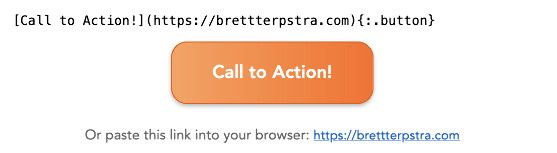
I’ve been using Apex as my Markdown processor, and it works beautifully with this script. Apex supports inline attribute lists (IALs), which means you can create call-to-action buttons with just a simple syntax:
[Buy Now](https://example.com){:.button}
That single line gets converted into a fully-styled email button with proper table structure, fallback text, and all the email client compatibility you need. No HTML, no CSS wrestling—just clean Markdown.
Flexible Markdown Processing
But here’s the thing: the script doesn’t care which Markdown processor you use. All of the email-specific conversion—the table wrapping, the CSS inlining, the button creation—happens after the Markdown is converted to HTML. So you can use:
Apex (my recommendation) - Great for IALs and button creation
Kramdown - Also supports IALs for buttons
MultiMarkdown - Supports image attributes for styling
Or any other Markdown processor that can output HTML
The script just needs to be able to call your processor from the command line, and it handles the rest.
See It In Action
I’ve put together a demo showing what the output looks like. The rendered HTML email shows how clean the final result is, and you can see the original Markdown source to see how simple the input is.
To generate that email, I just ran:
mdtosendy.rb demo.md
That’s it. One command, and you get both an HTML file and a plain text version ready to go.
Sendy Integration
If you’re using Sendy for your email campaigns, the integration is even smoother. Just add a YAML frontmatter block to your Markdown file:
title: My Newsletter Subject
publish_date: 2024-01-15 10:00:00# Your email content here...
When you run the script, it will:
Generate the HTML and plain text versions
Automatically create a campaign in Sendy
Schedule it for the specified date and time
Or use status: draft if you want to create a draft campaign instead of scheduling it immediately. The script handles all the API calls and campaign setup automatically.
The Result
What you get is a workflow where you can:
Write emails in Markdown (your favorite editor, version control, etc.)
Maintain styles in a CSS file (easy to update, version control friendly)
Generate email-ready HTML with one command
Optionally auto-create Sendy campaigns
No more fighting with email clients. No more WYSIWYG editors. Just write, configure, and send.
The script is available on GitHub, and you can install it with a single curl command. Check it out if you send any kind of HTML newsletter or marketing and want to just write in Markdown.