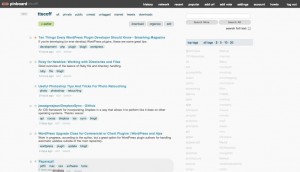
 A Pinboard redesign built off of the styles started by Josh Pigford, I’m providing a bare stylesheet which works with StyleBot on Chrome and User CSS on Safari. The Chrome version can be installed straight from Stylebot.me. Stylebot.me also has a userscript version which could be used with Greasemonkey, but my styles don’t seem to translate well to Firefox, yet. I’ll work on that when I have time.
Here’s the raw stylesheet if you want to grab it and use it in User CSS or somewhere else: pinboard.css. I’m not going to tell you it’s bulletproof, but feel free to send in obvious bugs. Also feel free to pick it up and run with it, just link the “credit chain” back and make sure to show us what you did!

